1. Set up your profile
Update your
profile! Upload a photo of yourself, complete your bio, and be known by your colleagues.
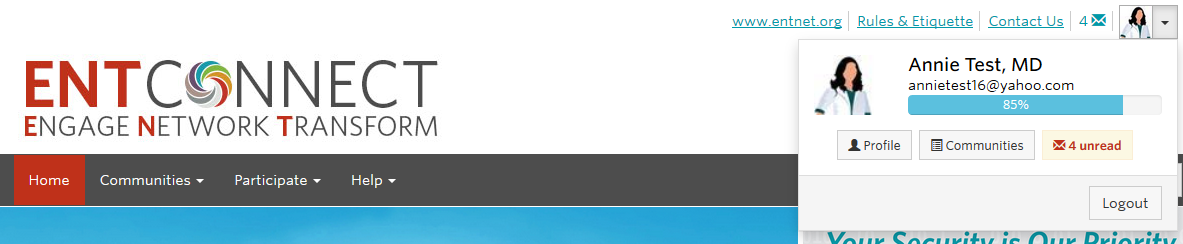
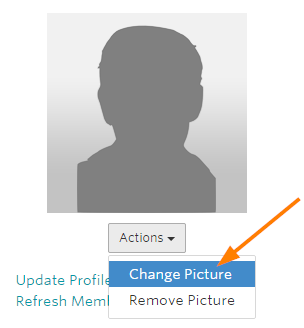
You can easily update your profile by bringing your information over from LinkedIn.

2. Customize your privacy settings
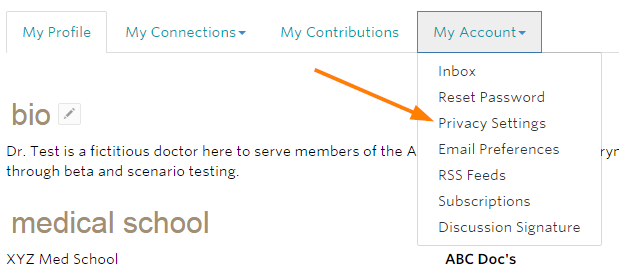
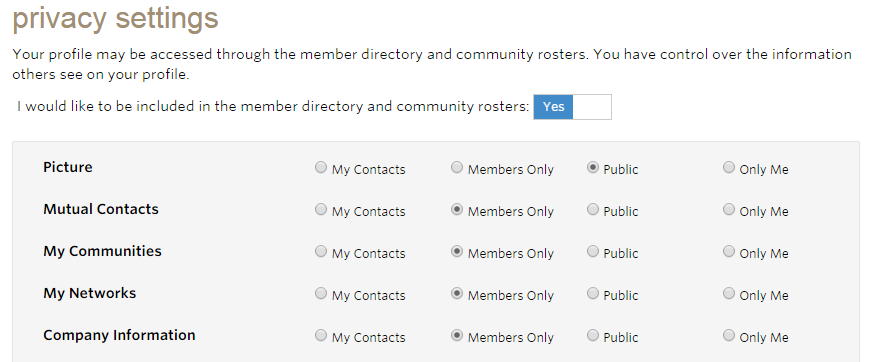
You can control who has access to the information you include on your profile by customizing your privacy settings. To access your Privacy Settings, navigate to your Profile, select My Account and Privacy Settings.
Select from My Contacts, Members Only, Public, or Only Me for each item on your profile and then click save.
3. Set subscriptions
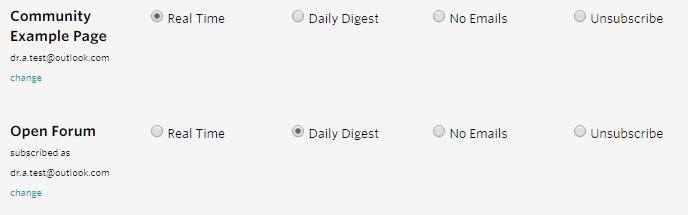
Once you are a member of some communities, you will want to set your subscriptions. To access your Subscriptions, navigate to your Profile, select My Account and
Subscriptions.
This is where you can set and control your email notifications from each community you are a member of. We recommend selecting either Real Time - which sends you an email notification as soon as someone post in that particular community, or Daily Digest - which will send you one email containing all discussion posts from the previous day per community.
4. Join a community
ENTConnect is home to many
communities. Communities are where you engage with others, connect around a topic, share information and learn from one another. As a member of the AAO-HNS you are automatically a part of our
Open Forum. Some communities are created by the association to conduct committee work. These types of communities are only open to committee members. If you are a committee member, you have already been added to the
communities.
Special Interest Groups are open groups that you can join right from the site.
5. Join the conversation
Nearly 2,000 discussions have already taken place on ENTConnect. Join the conversation by creating a new discussion (click on Participate -
Post a Message) or by replying to one that is already under way. Remember, conversations with all 12,000 members take place in our
Open Forum.
6. Start networking
You can search for over 12,000 of your peers using ENTConnect's
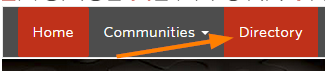
directory. Connect with them by sending them a contact request. Building out your contact list makes it easier to find and connect with members you know and creates a great source for referrals! Select Directory from the navigation at the top of the page.
Then search for a member. Once you find them, click on "Add as Contact."
7. Need to update your password?
ENTConnect employees an encrypted single sign on system to sync the Academy’s website,
www.entnet.org, with ENTConnect. To update your password, please
click here to request an encrypted link be sent to your email address.
For information or assistance please contact
memberservices@entnet.org or call (703) 836-4444.
Need more help?
Contact Us